Do I need to know how to code to create a test?
No. You pick the page, edit the variant with your existing page builder, choose a goal, and launch, all without touching code.


Pick the page, make your variant, choose the goal, hit launch. It all happens right inside WordPress, in the Spliteezy plugin, and the wizard walks you through your first one. After that, it’s muscle memory.
Pick the page, make your variant, choose the goal, launch.
Go live now, schedule for later, or save as a draft.
Creating tests is part of every Spliteezy plan.
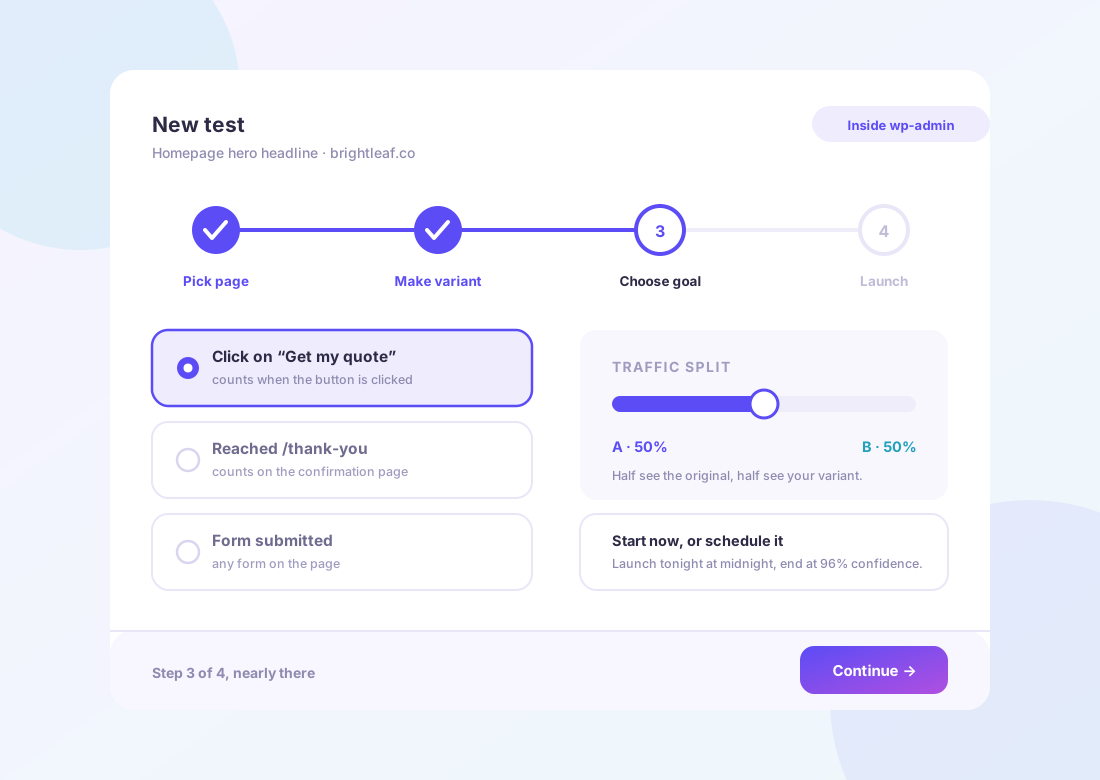
The setup wizard walks you through your very first test.
Once you know the four steps, launching a new test takes minutes.
Schedule a test to start the day a campaign or sale goes live.
No. You pick the page, edit the variant with your existing page builder, choose a goal, and launch, all without touching code.
Yes, you can launch immediately, schedule a test for later, or save it as a draft to finish another time.
Most people go from idea to a live test in a few minutes once they’re used to the four steps.
The setup wizard walks you through it; after that, it’s muscle memory.